Generator Woes in Build 42: Finding Power Without Losing Your Mind (Build 42.19)
Build 42.19 · knowledge · placement · fumes · fuel · repair
1. Why generators feel harder in Build 42
Build 42 keeps the classic loop (find unit → learn operation → fuel → connect → start → maintain), but two changes dominate player frustration: indoor operation is treated as toxic exhaust, and the knowledge gate is easy to misunderstand. This page is a troubleshooting guide for those pain points. For a step-by-step first-time setup, use the find, use, and repair generator guide.
2. Knowledge: magazine, occupations, or Electrical 3
Connect and start options require generator knowledge. Build 42.19 grants it through any path below. The in-game plug tooltip lists Electrician, learnt knowledge, or Electrical skill 3+.
 How to Use Generators
Magazine
How to Use Generators
Magazine
 Scrap Electronics
Repair material
Scrap Electronics
Repair material
 Generator
Heavy two-hand item
Generator
Heavy two-hand item
| Path | What happens in 42.19 |
|---|---|
| Electrician occupation | Starts with generator knowledge (plus Electrical XP boost and remote/radio crafts). |
| Engineer occupation | Also starts with generator knowledge—not Electrician-only. |
| Magazine: How to Use Generators | Reading teaches generator use. Still found in junk, bags, closets, electronics-heavy rooms, and generator-room crates—not a firetruck-only drop. |
| Electrical skill 3+ | On level-up (and on load if already ≥3), the game auto-learns generator use. Inventive can lower the effective threshold by one level. |
If magazines keep missing, grind Electrical by dismantling TVs, radios, watches, and other electronics, then follow the Electrical skill guide. How often generators spawn is controlled by the sandbox Generator Spawning setting (Apocalypse default = Rare).
3. Four generator variants (weight, noise, wear)
All four share the same max condition (100). They do not burn petrol at different rates by model; they differ in weight, sound radius, and how often condition drops while running.
Lectromax
Standard
 Premium Tech
Yellow
Premium Tech
Yellow
 ValuTech
Blue
ValuTech
Blue
 Old
Loudest
Old
Loudest
| Display name | Weight | Sound radius | Wear rate | Practical note |
|---|---|---|---|---|
| Generator - Lectromax | 40 | 20 | Medium (1-in-30) | Standard portable unit |
| Generator - Premium Technologies | 40 | 20 | Slowest (1-in-36) | Same noise; lasts longest of the four |
| Generator - ValuTech | 30 | 23 | Faster (1-in-24) | Lightest; slightly louder; wears faster |
| Generator - Old | 40 | 25 | Faster (1-in-25) | Loudest radius; common crate roll |
A higher “1-in-N” wear value means condition drops less often. Prefer Yellow when you can; use Blue for long carries; treat Old as temporary power until you find a quieter unit.
4. Moving a generator (inventory is real)
- Right-click a generator that is not connected.
- Choose Take Generator.
- The action force-drops conflicting heavy items, adds the generator to inventory, and equips it in both hands. You do not need empty hands first.
Units require both hands and weigh 30–40. You move slowly and cannot fight while carrying one. Plan a short walk, a vehicle seat drop, or a multi-stage stash. Disconnect before take; reconnect after place.
5. Placement: toxic fumes, noise, range
| Topic | Build 42.19 fact | What to do |
|---|---|---|
| Indoor toxic fumes | If the square is not outdoor and has a building, Generator Info shows “Will fill the building with toxic fumes when operated here.” | Run only on outdoor tiles. Do not rely on “player-built fully enclosed shed is safe” claims. |
| Outdoor / roof tiles | Outdoor placement avoids the toxic warning. Roofs and ledges can help access control. | Useful for zombie pathing—not for silence. Sound radius stays 20–25 tiles. |
| Horizontal range | Sandbox Generator Tile Range default 20. | Sit the unit just outside the wall of the room with fridges and freezers. |
| Vertical range | Sandbox Generator Vertical Power Range default 3 floors above and below—not 2. | Basements and multi-story bases work within ±3 by default; change sandbox if you need more. |
| Exterior devices | Sandbox Allow Exterior Generator defaults to on (e.g. gas pumps on exterior tiles). | You can power pumps without parking the generator indoors. |
6. Fuel, connect, start (correct order)
- Place outside within range of the rooms you care about.
- Add Fuel while the unit is off. Any inventory fluid container holding Petrol works—not only gas cans.
- Connect Generator once. This toggles the power bubble; you do not wire each lamp by hand.
- Start. Needs connected + fuel > 0 + condition > 0.
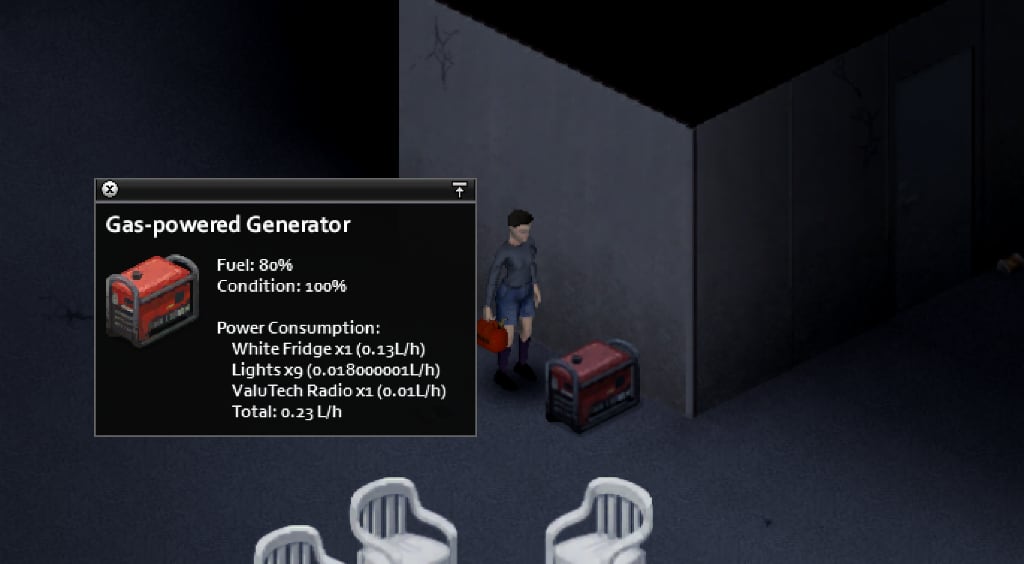
- Open Generator Info while running: fuel %, condition, list of powered objects, base gas draw, and total consumption.
Sandbox Generator Fuel Consumption (Apocalypse default 0.1) scales how hard appliances pull fuel per in-game hour. Always budget from the live total in Generator Info—do not trust fixed “five cans last two weeks” stories. Multi-tile freezers and extra appliances each add load; shut off what you do not need.
Low condition starts: if condition is ≤ 50, activation has a 50% chance to fail (noise/backfire without power). Keep scrap and petrol on hand.
Fuel logistics: secure gas stations after the power cut, or siphon cars—see how to siphon petrol and the broader power and water overview.
7. Condition, fire risk, and Scrap Electronics repair
Condition falls while the unit runs (rate depends on the variant’s wear chance). Below condition ≤ 20, backfire, fire, and explode chance scale up as the unit gets worse. Treat “keep condition high” as mandatory base hygiene—not optional polish.
- Turn the generator off.
- Carry Scrap Electronics (dismantle electronics; no screwdriver required for the fix action itself).
- Right-click → Fix Generator.
- Each scrap restores 4 + (Electrical level ÷ 2) condition and grants 5 Electrical XP. The action chains while condition < 100 and scrap remains. Duration scales with Electrical skill.
| Electrical level | Condition restored per scrap |
|---|---|
| 0 | 4.0 |
| 2 | 5.0 |
| 4 | 6.0 |
| 6 | 7.0 |
| 8 | 8.0 |
| 10 | 9.0 |
There is no minimum Electrical skill to open repair—only scrap, offline state, and condition below 100. Higher Electrical still repairs more per scrap and finishes faster.
8. Where to look when the map feels empty
- Sheds, tool sheds, garages, warehouses, storage units, and industrial outbuildings for world generators.
- Generator rooms and crates for both units and the How to Use Generators magazine.
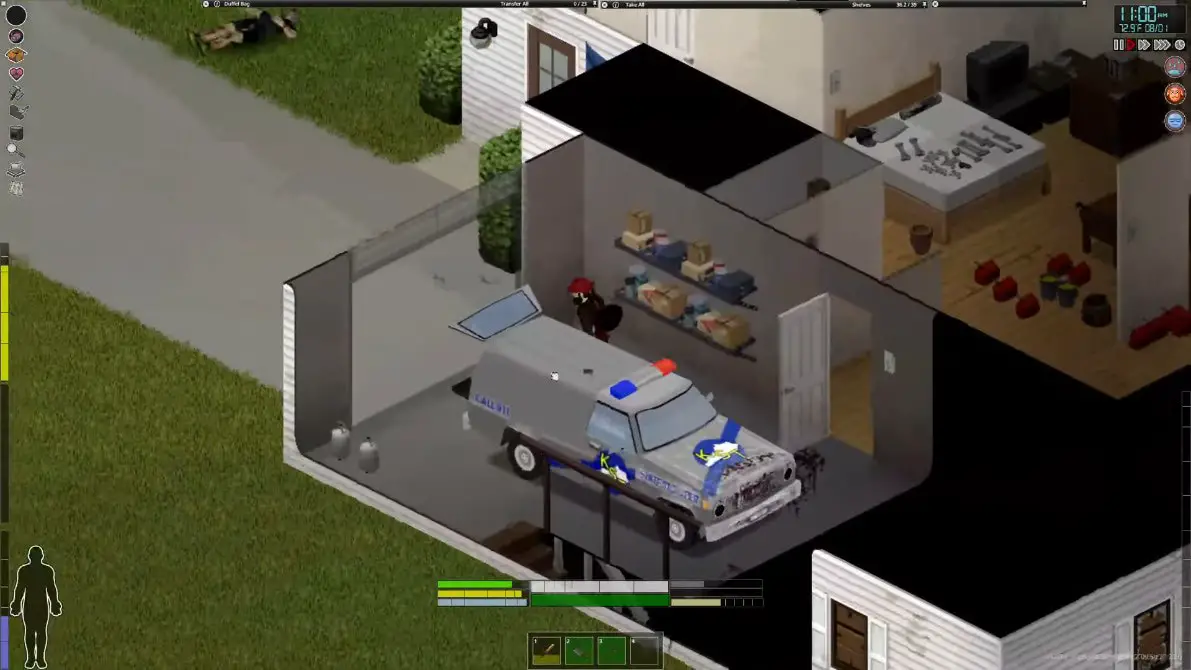
- Vehicle trunks (including emergency and utility vehicles) can roll a generator, but treat firetruck magazine claims as anecdote—not a guaranteed rate table.
- Map-oriented lists: generator spawn spots guide.
- Tools and wiring materials: hardware store locations.
9. Practical base checklist
- Outdoor placement confirmed (no toxic line in Generator Info).
- Knowledge unlocked (magazine, occupation, or Electrical 3).
- Petrol stocked; unused lights and appliances off.
- Scrap Electronics reserve for condition ≤ 50 starts and the ≤ 20 critical band.
- Noise radius planned (20–25 tiles)—fences and roofs for access control, not silence.
- Large bases: second generator or clustered essential appliances inside one bubble.
Related guides
Related Articles