Project Zomboid Debug Mode & Admin Tools (Build 42.19)
Build 42.19 · Debug Menu · Admin Panel · admin commands · DoLuaChecksum
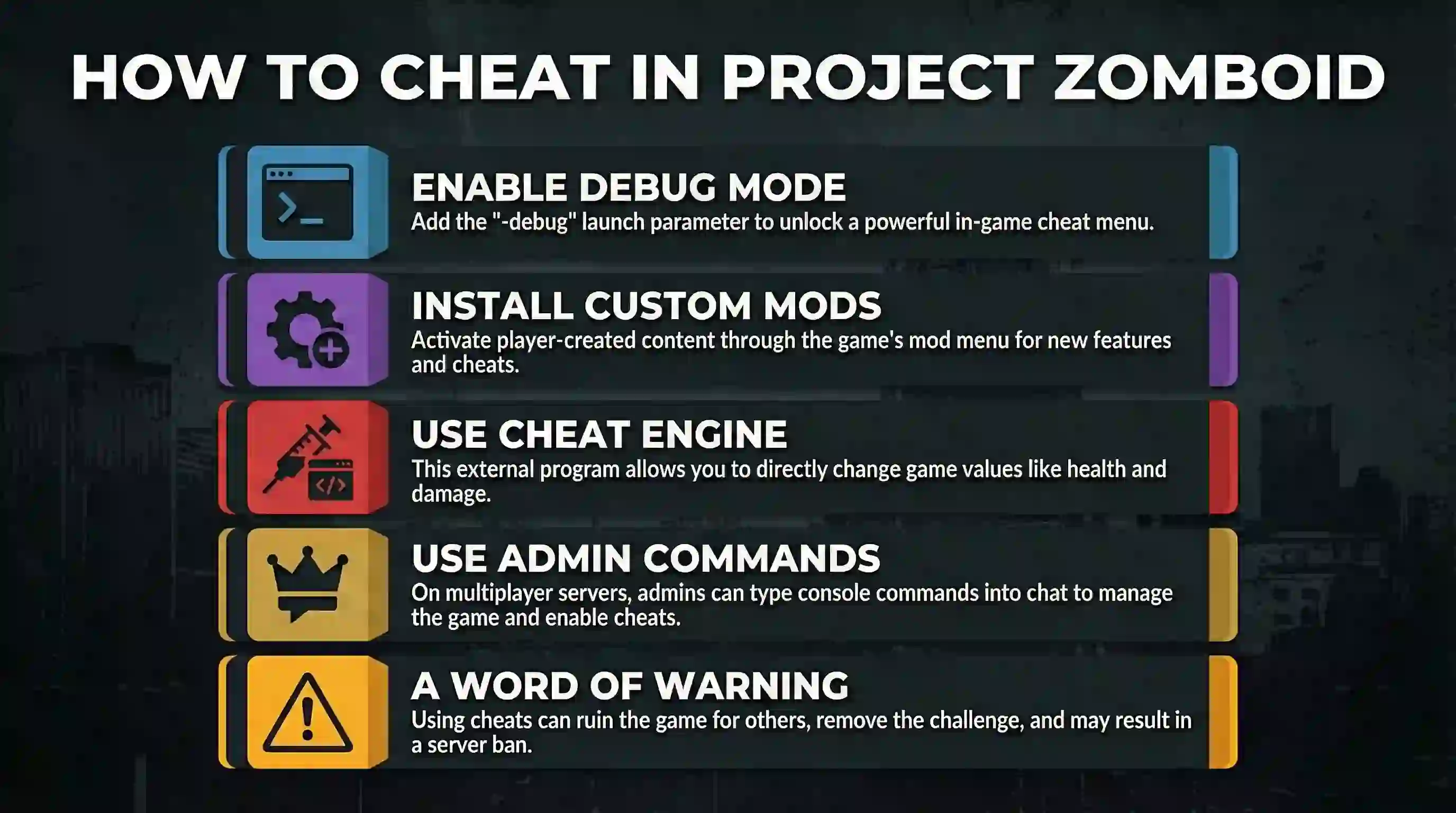
If you need god mode, item spawning, free building, teleport, or world inspection, start with the official launch flag -debug and the in-game Admin Panel. Those tools ship with the game, match the build you installed, and do not require an external memory editor. Workshop cheat mods and commercial trainer apps can still help in single-player creative work—but only after you confirm they match your exact game build and test them on a throwaway save.
When these tools make sense
Good reasons
- Learn late-game systems (farming, generators, vehicles, long builds) without grinding first.
- Prototype a base layout, then rebuild it legitimately.
- Mod or map testing that needs item spawns, free build, or teleport.
- Server events, player recovery, and admin investigations.
Prefer sandbox first
- Lower zombie population, slower infection, or richer loot can be set without debug tools.
- Sandbox changes keep a “rules-based” run instead of god-mode shortcuts.
- For private co-op, agree on rules before enabling admin powers.
Build 41 vs Build 42 status (42.19 scope)
Build 41 branch
Still a major multiplayer / stable-era branch many servers use. Debug and admin commands still apply, but menus, options, and Workshop content differ from current Build 42.
Legacy / server-common
Build 42 (this guide: 42.19)
Build 42 is no longer “upcoming early test only.” In Build 42.19, the built-in Debug Menu includes Cheats, Items List, Player’s Stats, Climate, Craft Recipes, Sandbox Settings, Entities, Fluids, and more.
Current 42.19 tools
Pick a path
Answers stick to official debug tools and admin paths—not third-party trainer downloads or multiplayer-legal claims for external apps.
Official path: -debug and Debug Menu
Debug Mode is the developer tool built into Project Zomboid. In Build 42.19, the main Debug Menu groups include General debuggers, Cheats, Climate debuggers, Craft Recipes, Player’s Stats, Items List, Fluids, Entities, Script Manager, Recipe Monitor, and Sandbox Settings.
Enable Debug Mode (Steam)
- In Steam Library, right-click Project Zomboid → Properties.
- Under General → Launch Options, enter
-debug. - Close Properties and launch the game.
- Load a single-player world (or join with admin rights on a server that allows it).
- Open the debug / bug icon UI once it appears, then use Debug Menu tabs and context actions labeled for debug.
Enable Debug Mode (GOG / desktop shortcut)
- In GOG Galaxy: manage installation → configure → add
-debugto command-line arguments. - Or edit a desktop shortcut target and append
-debugafter the executable path. - Launch, then use the same in-game debug UI as Steam.
Admin Panel / Cheat Panel capabilities
These are the in-game labels you will see. Availability depends on whether you launched with debug privileges and/or have admin rights.
| UI label | What the game says it does | Typical use |
|---|---|---|
| God Mode | Immune to all damage | Combat tests, base stress tests |
| Ghost Mode | Cannot be seen or heard by zombies | Scouting, mapping, admin watch |
| Invisible | Cannot be seen or heard by other players | Multiplayer observation |
| No Clip | Move through walls and collision tiles | Stuck recovery, map inspection |
| Build Cheat mode | Build without materials | Creative layout tests |
| Items List | Browse / spawn from the item list viewer | Item and mod item checks |
| Player’s Stats | Player stats debugger | Skills / body / mood experiments |
| Know All Recipes / See All Recipes | Learn or view all recipes | Unlock or inspect recipes for testing |
| Unlimited Endurance / Carry / Ammo | Remove those resource limits | Long build or combat drills |
| Health / Farming / Mechanics / Animal cheats | Specialized debug options for those systems | System-specific testing on B42 |
Multiplayer admin commands
On multiplayer, authorized admins can use chat / console commands without installing Workshop cheat menus. The syntax below matches the in-game admin help text.
| Command | Purpose (official wording) | Example pattern |
|---|---|---|
/godmode |
Make yourself invincible | /godmode -true |
/godmodeplayer |
Make a named player invincible | /godmodeplayer "rj" -true |
/invisible |
Make yourself invisible to zombies | /invisible -true |
/noclip |
Pass through walls and structures | /noclip "rj" -true |
/additem |
Give an item (optional count) | /additem "rj" Base.Axe 5 |
/addvehicle |
Spawn a vehicle | /addvehicle "Base.VanAmbulance" "rj" |
/addxp |
Give XP to a perk | /addxp "rj" Woodwork=2 -true |
/teleport / /teleportto |
Teleport to a player or coordinates | /teleportto 10000,11000,0 |
/kickuser / /banuser |
Kick or ban with optional reason | /kickuser "rj" -r "reason" |
Admin Panel powers also cover build cheat, farming cheat, mechanics cheat, medical cheat, animal cheats, see-all / hear-all, and related capability toggles. Exact buttons depend on your admin level and server permission flags—not every helper account receives full god tools.
DoLuaChecksum and anti-cheat risk
DoLuaChecksum=false as a normal “enable trainers” step.
In-game option text: Kick clients whose game files don’t match the server’s. Leaving checksum on protects the server from mismatched client files. Turning it off removes that consistency check.
Keep protection on (default posture)
- Public or semi-public servers should keep
DoLuaChecksumenabled. - Prefer admin commands and built-in Admin Panel tools over client-side cheat mods.
- Leave anti-cheat categories (packet, XP, speed, item, ownership, etc.) at protective settings unless you are deliberately diagnosing a false positive.
If you still disable checksum
- Do it only on a private server with a written allow-list of mods.
- Back up the full
Zomboiduser-data tree first. - Assume any connected client can run mismatched scripts—treat the threat model as “trusted friends only.”
- Re-enable checksum after the event or creative session.
Related server options also cover anti-cheat categories (checksum, packet, XP, speed, item, ownership, fire, recipe, safehouse, safety, time, permission). Those settings turn protections off—they do not add features. Prefer investigating logs over blanket “disabled” when chasing a false kick.
Third-party trainers and Workshop mods
External apps (for example WeMod / FLiNG profiles) and Workshop menus (Cheat Menu family, NecroForge, and forks) exist in the community. Treat each as unsupported until its publisher names your exact game build and you have tested it on a backed-up single-player world. Hotkeys and menus change with each tool update.
| Category | What it usually provides | Build/version status | Safe default advice |
|---|---|---|---|
Official -debug |
Full built-in Debug Menu / cheat panels | Built into 42.19 | Preferred for SP testing |
| Admin commands / Admin Panel | God, invisible, noclip, additem, teleport, kick/ban… | Built into 42.19 | Preferred for MP admins |
| External trainer apps | Often toggle debug or inject into the game process | Publisher- and patch-dependent | Single-player only if you accept third-party software risk; ignore “safe & reliable” marketing |
| Workshop cheat menus | Right-click or overlay UIs for spawn / god / build | Workshop update-dependent | Check Workshop build tags yourself; admins only on multiplayer; expect checksum conflicts |
| Quality-of-life “soft” mods | Skill Recovery Journal, infection rebalance, etc. | Not cheats in the trainer sense | Still require B41/B42-specific versions and server agreement |
If you still try a third-party tool
- Note your game build (for example 42.19), OS, and whether you play on Steam or GOG.
- Note the tool name, author, download page, and version.
- Test only on a disposable single-player save—not on a valued long run or public server.
- Confirm whether it needs
-debug, a Workshop mod, or external software running alongside the game. - Skip any guide that asks you to disable antivirus globally or download cracked trainers from random mirrors.
- On multiplayer, assume non-admin clients are blocked; do not disable server protections to “make the trainer work” on strangers’ servers.
Older Workshop pages (for example historical Cheat Menu: Rebirth or B42 forks, NecroForge) can go stale, be re-uploaded, or lag the current branch. Open the live Workshop page and read the latest build notes yourself.
FAQ
Is Build 41 still the “current stable” and Build 42 only upcoming?
No for this guide’s Build 42.19 scope. Build 41 remains important for many multiplayer communities, but describing B42 as merely “upcoming” is outdated for 42.19-era documentation.
Should I use a trainer after a bite?
That is a personal rules choice. Technical options that keep the world intact include: start a new character in the same world, use agreed soft mods (if the server allows them), or accept death. God-mode curing is always available in private SP via official debug, but it changes the meaning of the run.
Can normal multiplayer players enable Debug Mode?
Not in the general case. Servers with default protections kick mismatched or unauthorized clients. Admin rights are granted by the host; regular players should not expect god mode, free build, or external trainers to function.
Do I need WeMod to open the debug menu?
No. Add -debug to the game’s launch options. External apps are optional convenience layers at best—and third-party software risks at worst.
How do I spot cheaters as an admin?
- Use admin invisible / ghost observation carefully and keep notes on what you saw.
- Read server logs for kick, checksum, and anti-cheat messages.
- Treat impossible progression as a clue—not as sole proof.
- Keep checksum and anti-cheat options enabled on public servers.
-debug, Admin Panel cheats, and documented admin commands. Treat third-party trainers and Workshop cheat menus as optional tools for backed-up single-player or private-admin use—not as “safe for every patch,” and never as a reason to casually disable DoLuaChecksum on a real server.
Related Articles