Project Zomboid How to Use Map: Mark Loot, Not Your Grave
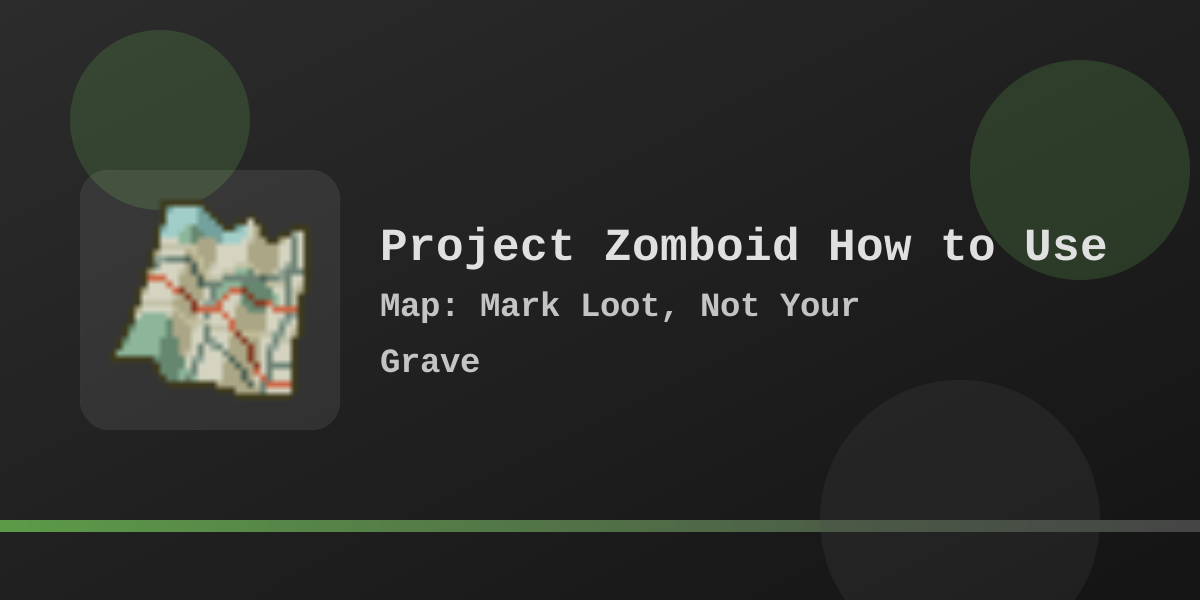
If you’re searching project zomboid how to use map, you’re probably trying to stop two classic deaths: getting lost on a supply run, and re-looting the same streets because you can’t remember what you already cleared. Use the World Map (default: M) as a planning tool: read paper town maps to reveal detail, annotate a tiny legend, and always mark an exit + fallback route. Jump to Quick-Start.
Quick-Start
 Open the World Map (default: press
 M).- Zoom out to find an anchor (river/highway/rail), then zoom back in for routes.
 If you want to write on the map, carry a pen/pencil/marker in your inventory.
 If tools aren’t showing, toggle the drawing/legend UI (look for the
 Sicon).- Loot a paper town map (e.g., “Map: Riverside”) and Read it to reveal detail.
 Set up three core markers: Safehouse, Gas, Danger.
 Before every run, draw your exit and your fallback (two arrows is cheaper than a funeral).
Map Kit
- Pen or pencil (to write)
 Eraser (to clean up bad intel)
- One town map for your current area (to reveal detail)
- A simple legend you actually follow (safehouse / gas / danger)
Controls Cheat Sheet
| Action | Why | Habit |
|---|---|---|
Open map (M) |
Re-orient before you commit | Open the map before you leave the building, not after you’re lost |
| Zoom / pan | Read the city at multiple scales | Zoom out for anchors, zoom in for door-to-door routes |
Toggle drawing UI (S icon) |
Your tools/legend live here | If tools vanish, toggle first |
| Add a note / symbol | Turn “maybe” into a plan | Mark exits, cars, alarms, and cleared buildings consistently |
Reveal Towns Fast (Paper Maps)
- Loot a town map (gloveboxes, schools, bookstores, post offices, offices—anywhere paper makes sense).
- Right-click it and choose Read.
- Re-open the World Map and zoom into that town; you should see much more detail.
Map Items: What Reading Does
| Item | What it does | Best time |
|---|---|---|
| Town map (“Map: …”) | Reveals/extends town detail on your World Map | As soon as you find it (knowledge compounds) |
| Annotated map | Adds extra info/clues; can behave differently by settings/version | When you’re stable enough to follow a lead safely |
| World Map (UI) | Your live planning surface | Every run: plan → execute → update |
Simple Legend (Starter Set)
| Marker | Meaning | When to add it |
|---|---|---|
| 🏠 Safehouse | Sleep + storage + fallback | After you secure windows/doors and have an exit route |
| ⛽ Gas | Fuel source + vehicle staging | After you confirm pumps + nearby sightlines |
| 📚 Books | Skill books + magazines | As soon as you find one (it’s a “winter project” seed) |
| 💊 Medical | First aid, disinfectant, meds | When you find it, even if you can’t loot it yet |
| ☠️ Danger | Alarm, dense horde, blind corner | Immediately—future-you needs this warning |
Build 42 Bonus: Street Names + Stronger Annotation Tools
What changes
- Street names appear on the in-game map (expanded over time).
- Annotations get upgrades (text layers, resize/rotate drawings).
- Route planning gets faster (duplicate marks instead of redrawing).
Early-game priorities shift
- Call meeting points by street name instead of vague landmarks.
- Mark a route once, then duplicate it for your next loot loop (food → meds → gas).
- Hide noisy labels when dense areas become unreadable.
Street-Name Drill (Practice Loop)
- Pick a safe building.
- On your map, identify two street names near you.
- Draw a simple triangle route that returns home.
- Run it once in daylight.
Co-op Map Rules
- Agree on a shared legend (safehouse / gas / danger / cleared).
- One person scouts; one person loots; both update the map.
- Don’t spam markers—mark decisions (routes, rendezvous points, no-go zones).
- If you want shared annotations, a lightweight option is a workshop mod like “Share Annotations.”
External Maps: Use Them Like an Atlas
- Use external maps to find “safe geometry” (rivers, highways, rail lines, long fences).
- Use them to plan exits (“If the main road is hot, which parallel street gets me home?”).
- Use them to avoid dead ends (industrial yards, cul-de-sacs, fenced traps).
Troubleshooting
| Symptom | Likely cause | Fix |
|---|---|---|
| Annotation tools missing | Drawing UI toggled off | Toggle the S icon to show tools/legend |
| Can’t write on map | No writing tool | Carry a pen/pencil/marker in inventory |
| “Annotated maps” feel weird/absent | Sandbox/map-knowledge settings change the loop | Re-check “known on start” style options and annotated-map behavior |
| Want to write while paused but tools don’t appear | Interaction/time quirks or missing tools | Confirm you have a pen, toggle S, and write from a safe spot (treat it like an action) |
| Map is too noisy | Labels/notes overload | Simplify legend, hide labels when possible, and mark only decisions |
FAQ
Q: What should I mark first?
A: Safehouse, gas, danger, and exits. Loot markers come later; survival markers pay rent immediately.
Q: Is using an online map “cheating”?
A: Not if you use it like an atlas. The cheap version is “tell me what’s in every building.” The smart version is “help me not drive into a dead end at midnight.”
Q: What’s the biggest map mistake?
A: Hoarding information without turning it into action. A map full of trivia won’t save you; a map with exits will.
Recap
- Open the map, and re-orient before you leave safety.
- Read a paper town map to reveal detail in your current area.
- Mark Safehouse / Gas / Danger and always draw an exit + fallback.
- Run one repeatable loot loop, then update notes every time.
Patch-History (Collapsible)
Show map-related Build 42 notes
| Date | Change note | Impact |
|---|---|---|
| 2025-06-30 | Street names added to the in-game map; player map improvements | Easier navigation and callouts; makes “learn the roads” faster early |
| 2025-08-04 | Map upgrades: text layers, resize/rotate annotations, duplication workflows, expanded street names | Faster route planning; encourages standardized legends and reusable “loot loop” stamps |
| 2025-12-11 | QoL/accessibility: faster map reading interactions and options to auto-mark locations from print media | Reading paper maps/notes becomes more rewarding early; reduces “I forgot where that clue was” failures |